TypeScript SDK
Full API reference for @agentfield/sdk, the TypeScript SDK for building AI agents on AgentField.
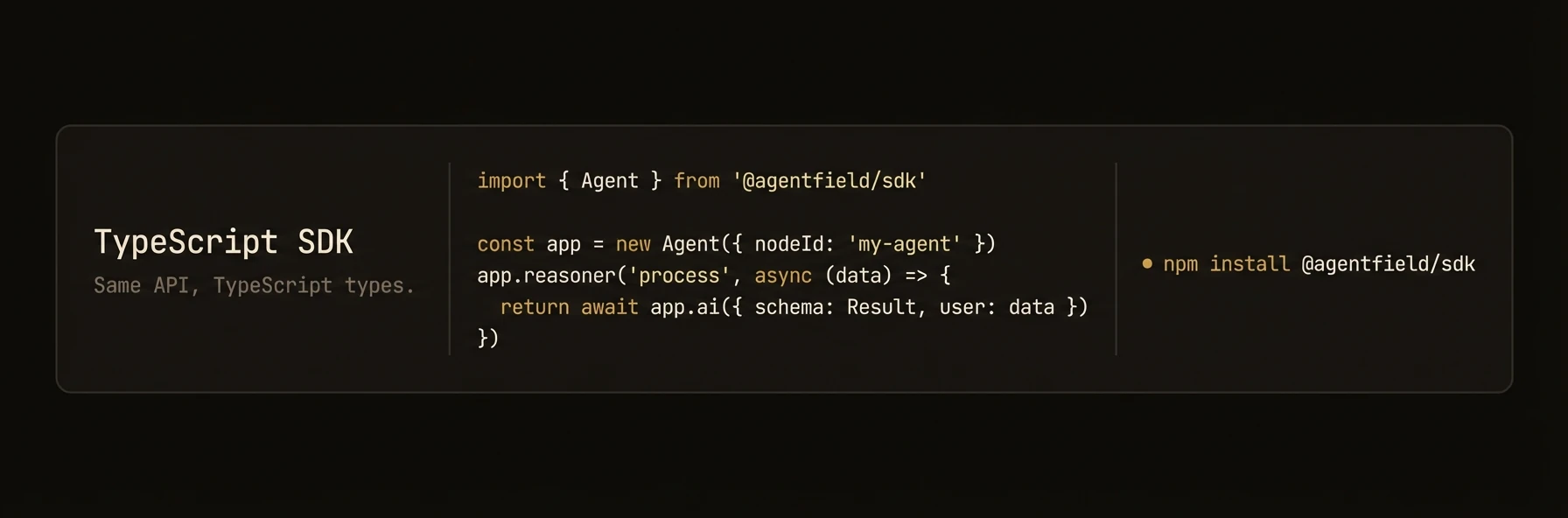
Build AI agents as production microservices with TypeScript.
The @agentfield/sdk package lets you build, deploy, and orchestrate AI agents in TypeScript and JavaScript. Registered reasoners and skills are exposed through the agent runtime, and DID-backed identity is available when enabled in config. Runs on Node.js 18+.
Install
npm install @agentfield/sdkRequires Node.js 18+. The package uses native ESM -- set "type": "module" in your package.json.
Quick Start
import { Agent } from "@agentfield/sdk";
import { z } from "zod";

const agent = new Agent({
  nodeId: "my-agent",
  aiConfig: {
    provider: "openai",
    model: "gpt-4o",
  },
});

agent.reasoner("greet", async (ctx) => {
  const response = await ctx.ai("Say hello to the user.", {
    system: "You are a friendly assistant.",
  });
  return { message: response };
});

agent.serve();
Start the control plane and your agent:
af server          # Terminal 1 — Dashboard at http://localhost:8080
npx tsx app.ts # Terminal 2 — Agent auto-registersAgent Constructor and Configuration
Agent
The Agent class is the top-level object that registers functions, starts an HTTP server, and manages connections to the AgentField control plane.
Constructor
import { Agent } from "@agentfield/sdk";
import type { AgentConfig } from "@agentfield/sdk";

const config: AgentConfig = { nodeId: "my-agent" };
const agent = new Agent(config);
AgentConfig
| Field | Type | Default | Description |
|---|---|---|---|
nodeId | string | required | Unique identifier for this agent node |
version | string | -- | Semver version string |
teamId | string | -- | Team/organization identifier |
agentFieldUrl | string | "http://localhost:8080" | Control plane URL |
port | number | 8001 | HTTP server port |
host | string | "0.0.0.0" | HTTP server bind address |
publicUrl | string | -- | Public URL for this agent (used in registration) |
aiConfig | AIConfig | -- | LLM provider configuration |
harnessConfig | HarnessConfig | -- | Harness runner defaults (provider defaults to "aforge") |
memoryConfig | MemoryConfig | -- | Memory scope defaults |
mcp | MCPConfig | -- | MCP server connections |
didEnabled | boolean | true | Enable DID/Verifiable Credential features |
devMode | boolean | -- | Enable development mode logging |
deploymentType | DeploymentType | "long_running" | "long_running" or "serverless" |
apiKey | string | -- | API key for control plane authentication |
tags | string[] | -- | Agent-level tags for authorization policies |
localVerification | boolean | -- | Enable decentralized local verification of DID signatures |
defaultHeaders | Record<string, string> | -- | Default headers sent with all control plane requests |
Registering Reasoners and Skills
agent.reasoner()
Register a reasoner function. Reasoners are the primary execution units -- they receive a ReasonerContext with full access to AI, memory, discovery, and harness capabilities.
agent.reasoner<TInput, TOutput>(
  name: string,
  handler: (ctx: ReasonerContext<TInput>) => Promise<TOutput>,
  options?: ReasonerOptions
);
ReasonerOptions:
| Field | Type | Description |
|---|---|---|
tags | string[] | Tags for discovery filtering |
description | string | Human-readable description |
inputSchema | any | JSON Schema or Zod schema for input validation |
outputSchema | any | JSON Schema or Zod schema for output shape |
trackWorkflow | boolean | Enable workflow tracking |
requireRealtimeValidation | boolean | Force control-plane verification instead of local |
agent.skill()
Register a skill function. Skills are lightweight handlers that receive a SkillContext -- they have access to memory and discovery but not AI generation.
agent.skill<TInput, TOutput>(
  name: string,
  handler: (ctx: SkillContext<TInput>) => TOutput | Promise<TOutput>,
  options?: SkillOptions
);
SkillOptions:
| Field | Type | Description |
|---|---|---|
tags | string[] | Tags for discovery filtering |
description | string | Human-readable description |
inputSchema | any | JSON Schema or Zod schema for input validation |
outputSchema | any | JSON Schema or Zod schema for output shape |
requireRealtimeValidation | boolean | Force control-plane verification instead of local |
Returns the Agent instance for chaining.
agent.session()
Register a realtime or multimodal session entrypoint. Sessions start through the AgentField control plane; tool calls from the session should route into normal reasoners so workflow context is preserved.
agent.session("voice", {
  provider: "openai",
  transport: "webrtc",
  model: "gpt-realtime-2",
  modalities: ["audio", "text"],
  voice: "marin",
  tools: ["voice-support-af.resolveVoiceTurn"],
  tags: ["support:voice", "pii:limited"],
}, async (session) => {
  const turn = await session.input();
  const result = await session.call("voice-support-af.resolveVoiceTurn", { turn });
  await session.say(result.spokenResponse);
});
Provider and transport are explicit. AgentField validates the combination and does not infer or switch providers.
tools is a provider/client-visible allowlist, not a requirement for the handler to call reasoners. The handler can orchestrate with session.call(...); tools exposes selected AgentField targets for autonomous realtime tool calls during the live session.
tags proposes access-control tags for the session ingress. Approve them like reasoner and skill tags, then use policies to control who can start the live session.
Agent-Level Methods (call, discover, harness, serve)
agent.call()
Invoke a reasoner on this agent or on a remote agent through the control plane.
const result = await agent.call(target: string, input: any);Target format: "nodeId.reasonerName" for remote calls, or just "reasonerName" for local calls.
agent.discover()
Query the control plane for available capabilities across all registered agents.
const result = await agent.discover(options?: DiscoveryOptions);DiscoveryOptions:
| Field | Type | Description |
|---|---|---|
agent | string | Filter by agent ID |
nodeId | string | Filter by node ID |
agentIds | string[] | Filter by multiple agent IDs |
nodeIds | string[] | Filter by multiple node IDs |
reasoner | string | Filter by reasoner name |
skill | string | Filter by skill name |
tags | string[] | Filter by tags |
format | DiscoveryFormat | "json", "compact", or "xml" |
includeInputSchema | boolean | Include input schemas in response |
includeOutputSchema | boolean | Include output schemas in response |
includeDescriptions | boolean | Include descriptions in response |
includeExamples | boolean | Include examples in response |
healthStatus | string | Filter by health status |
limit | number | Pagination limit |
offset | number | Pagination offset |
agent.harness()
Run a prompt through an agentic coding harness. The harness has tool access and multi-turn reasoning.
With no provider in options, the call runs AForge — AgentField's
native harness, installed alongside the af binary, so {} is a complete options object once
OPENROUTER_API_KEY is set. Pass provider to drive Claude Code, Codex, Gemini CLI, or OpenCode
instead. Precedence: the call option, then harnessConfig, then AGENTFIELD_HARNESS_PROVIDER,
then "aforge".
const result = await agent.harness(
  prompt: string,
  options?: HarnessOptions
): Promise<HarnessResult>;
agent.watchMemory()
Subscribe to memory change events matching a glob pattern.
agent.watchMemory(
  pattern: string | string[],
  handler: (event: MemoryChangeEvent) => void | Promise<void>,
  options?: { scope?: string; scopeId?: string }
);
agent.note()
Emit an observability note visible in the AgentField UI.
agent.note(message: string, tags?: string[]);agent.includeRouter()
Mount an AgentRouter to compose reasoners and skills from separate modules.
import { AgentRouter } from "@agentfield/sdk";

const router = new AgentRouter({ prefix: "analytics", tags: ["data"] });

router.reasoner("summarize", async (ctx) => {
  return ctx.ai("Summarize the data.", { system: "You are a data analyst." });
});

agent.includeRouter(router);
agent.serve()
Start the HTTP server and register with the control plane.
await agent.serve();agent.handler()
Return a request handler for serverless deployments (AWS Lambda, Vercel, Netlify).
export default agent.handler();agent.shutdown()
Gracefully shut down the HTTP server, stop heartbeats, and disconnect the memory event stream.
await agent.shutdown();ReasonerContext — ctx.ai(), ctx.call(), ctx.discover()
ReasonerContext
The context object passed to every reasoner handler. Provides access to AI generation, memory, inter-agent calls, discovery, harness execution, and observability.
Properties
| Property | Type | Description |
|---|---|---|
input | TInput | The input data passed to this reasoner |
executionId | string | Unique ID for this execution |
runId | string? | Run ID (groups related executions) |
sessionId | string? | Session ID |
actorId | string? | Actor/user ID |
workflowId | string? | Workflow ID |
parentExecutionId | string? | Parent execution ID (for nested calls) |
callerDid | string? | DID of the calling agent |
targetDid | string? | DID of this agent/function |
agent | Agent | Reference to the parent Agent instance |
aiClient | AIClient | Direct access to the AI client |
memory | MemoryInterface | Scoped memory interface |
workflow | WorkflowReporter | Workflow progress reporting |
did | DidInterface | DID/Verifiable Credential operations |
ctx.ai()
The primary method for LLM generation. Supports plain text, structured output with Zod schemas, and automatic tool calling.
Plain text generation:
const text = await ctx.ai("Summarize this document.", {
  system: "You are a concise summarizer.",
  model: "gpt-4o",
  temperature: 0.3,
});
Structured output with Zod:
import { z } from "zod";

const result = await ctx.ai("Extract the key entities.", {
  schema: z.object({
    people: z.array(z.string()),
    places: z.array(z.string()),
    dates: z.array(z.string()),
  }),
});
// result is typed as { people: string[], places: string[], dates: string[] }
Tool calling with auto-discovery:
const { text, trace } = await ctx.aiWithTools("Find and analyze the latest data.", {
  tools: "discover",   // auto-discover capabilities from control plane
  maxTurns: 5,
  maxToolCalls: 15,
});
AIRequestOptions:
| Field | Type | Default | Description |
|---|---|---|---|
system | string | -- | System prompt |
schema | ZodSchema<T> | -- | Zod schema for structured output |
model | string | from config | Model name override |
temperature | number | from config | Sampling temperature |
maxTokens | number | from config | Maximum output tokens |
provider | AIConfig["provider"] | from config | Provider override |
mode | "auto" | "json" | "tool" | "json" | Structured output mode |
AIToolRequestOptions (extends AIRequestOptions):
| Field | Type | Default | Description |
|---|---|---|---|
tools | ToolsOption | -- | Tool definitions (see below) |
maxTurns | number | 10 | Maximum LLM turns in tool-call loop |
maxToolCalls | number | 25 | Maximum total tool calls |
ToolsOption accepts multiple forms:
| Value | Description |
|---|---|
"discover" | Auto-discover all capabilities from the control plane |
ToolCallConfig | Discovery with filtering (tags, agentIds, health) |
DiscoveryResult | Use pre-fetched discovery results |
AgentCapability[] | Convert capability list directly |
ToolSet | Raw Vercel AI SDK tool definitions |
ctx.aiStream()
Stream text from the LLM. Returns an AsyncIterable<string>.
const stream = await ctx.aiStream("Tell me a story.", {
  system: "You are a storyteller.",
});

for await (const chunk of stream) {
  process.stdout.write(chunk);
}
ctx.aiWithTools()
Explicitly run the tool-calling loop. Usually you can use ctx.ai() with the tools option instead -- this is exposed for advanced control.
const { text, trace } = await ctx.aiWithTools("Analyze the codebase.", {
  tools: "discover",
  maxTurns: 8,
  maxToolCalls: 20,
});

console.log(`Tool calls made: ${trace.totalToolCalls}`);
console.log(`Turns taken: ${trace.totalTurns}`);
Returns { text: string; trace: ToolCallTrace }.
ToolCallTrace:
| Field | Type | Description |
|---|---|---|
calls | ToolCallRecord[] | Individual tool call records |
totalTurns | number | Total LLM turns used |
totalToolCalls | number | Total tool calls dispatched |
finalResponse | string? | Final text response |
ctx.call()
Invoke another reasoner (local or remote).
// Local call
const result = await ctx.call("other_reasoner", { query: "test" });

// Remote call
const result = await ctx.call("other-agent.analyze", { data: input });
ctx.discover()
Query available capabilities from the control plane.
const capabilities = await ctx.discover({
  tags: ["analysis"],
  format: "compact",
});
ctx.note()
Emit an observability note with optional tags.
ctx.note("Processing complete, found 42 items", ["progress", "metrics"]);SkillContext
SkillContext
A lighter context for skill handlers. Skills have access to memory and discovery but not AI generation.
Properties
| Property | Type | Description |
|---|---|---|
input | TInput | The input data passed to this skill |
executionId | string | Unique ID for this execution |
sessionId | string? | Session ID |
workflowId | string? | Workflow ID |
callerDid | string? | DID of the calling agent |
agent | Agent | Reference to the parent Agent instance |
memory | MemoryInterface | Scoped memory interface |
workflow | WorkflowReporter | Workflow progress reporting |
did | DidInterface | DID/Verifiable Credential operations |
agentNodeDid | string | undefined | The DID of the agent node handling this skill |
ctx.discover()
Same as ReasonerContext.discover() -- query available capabilities.
const capabilities = await ctx.discover({ tags: ["tools"] });AIClient — Direct LLM Access
AIClient
The AI client handles all LLM interactions. It is built on the Vercel AI SDK and supports multiple providers with automatic rate-limit retry and circuit breaking.
Constructor
import { AIClient } from "@agentfield/sdk";

const ai = new AIClient(config?: AIConfig);
AIConfig
| Field | Type | Default | Description |
|---|---|---|---|
provider | string | "openai" | LLM provider |
model | string | "gpt-4o" | Default model name |
embeddingModel | string | "text-embedding-3-small" | Default embedding model |
apiKey | string | -- | Provider API key |
baseUrl | string | -- | Custom base URL |
temperature | number | -- | Default temperature |
maxTokens | number | -- | Default max output tokens |
enableRateLimitRetry | boolean | true | Enable automatic rate-limit retry |
rateLimitMaxRetries | number | 20 | Maximum retry attempts |
rateLimitBaseDelay | number | 1.0 | Base delay in seconds |
rateLimitMaxDelay | number | 300.0 | Maximum delay in seconds |
rateLimitJitterFactor | number | 0.25 | Jitter factor for backoff |
rateLimitCircuitBreakerThreshold | number | 10 | Consecutive failures to trip breaker |
rateLimitCircuitBreakerTimeout | number | 300 | Circuit breaker reset timeout (seconds) |
Supported providers: openai, anthropic, google, mistral, groq, xai, deepseek, cohere, openrouter, ollama
ai.generate()
Generate text or structured output.
// Plain text
const text = await ai.generate("Explain quantum computing.");

// Structured output with Zod schema
const result = await ai.generate("Classify this text.", {
  schema: z.object({
    category: z.enum(["positive", "negative", "neutral"]),
    confidence: z.number(),
  }),
});
ai.stream()
Stream text generation. Returns an AsyncIterable<string>.
const stream = await ai.stream("Write a poem about TypeScript.");

for await (const chunk of stream) {
  process.stdout.write(chunk);
}
ai.embed()
Generate an embedding vector for a single string.
const vector = await ai.embed("The quick brown fox");
// vector: number[]ai.embedMany()
Generate embedding vectors for multiple strings in a single call.
const vectors = await ai.embedMany([
  "First document",
  "Second document",
  "Third document",
]);
// vectors: number[][]
MemoryInterface
MemoryInterface
Scoped key-value and vector memory with hierarchical fallback lookups. Accessible via ctx.memory in reasoner and skill handlers.
Scope Hierarchy
Memory values are scoped to one of four levels. When reading with default scope, the interface walks the hierarchy until a value is found:
- workflow -- scoped to a workflow/run
- session -- scoped to a user session
- actor -- scoped to a specific user/actor
- global -- shared across all scopes
Key-Value Operations
// Set
await ctx.memory.set(key: string, data: any, scope?: MemoryScope, scopeId?: string);

// Get (returns undefined if not found, uses hierarchical fallback with default scope)
const value = await ctx.memory.get<MyType>(key: string, scope?: MemoryScope, scopeId?: string);

// Delete
await ctx.memory.delete(key: string, scope?: MemoryScope, scopeId?: string);

// Exists
const found = await ctx.memory.exists(key: string, scope?: MemoryScope, scopeId?: string);

// List keys
const keys = await ctx.memory.listKeys(scope?: MemoryScope, scopeId?: string);
Vector Operations
// Store a vector
await ctx.memory.setVector(key, embedding, metadata?, scope?, scopeId?);

// Search similar vectors
const results = await ctx.memory.searchVector(queryEmbedding, { topK?, filters? });

// Delete vectors
await ctx.memory.deleteVector(key, scope?, scopeId?);
await ctx.memory.deleteVectors(keys, scope?, scopeId?);
Embedding Helpers
// Generate embedding for text
const vector = await ctx.memory.embedText("search query");
const vectors = await ctx.memory.embedTexts(["doc one", "doc two"]);

// Embed and store in one call
await ctx.memory.embedAndSet("doc-key", "The document content", { title: "My Doc" });
Scope Helpers
const workflowMemory = ctx.memory.workflow("wf-123");
const sessionMemory = ctx.memory.session("sess-abc");
const actorMemory = ctx.memory.actor("user-42");
const globalMemory = ctx.memory.globalScope;
Memory Events
ctx.memory.onEvent(async (event: MemoryChangeEvent) => {
  console.log(`Key changed: ${event.key} in ${event.scope}/${event.scopeId}`);
});
HarnessRunner — Coding Agent Dispatch
HarnessRunner
Execute prompts through an agentic coding tool with automatic retry and structured output support.
The default worker is AForge; provider swaps in Claude Code, Codex,
Gemini CLI, or OpenCode.
// No provider, no model — this runs on AForge, the default harness.
const result = await agent.harness(
  "Analyze the codebase and list all API endpoints.",
  {
    maxTurns: 10,
    cwd: "/path/to/project",
  }
);

console.log(result.text);
console.log(`Cost: $${result.costUsd}`);
HarnessConfig
| Field | Type | Default | Description |
|---|---|---|---|
provider | "aforge" | "claude-code" | "codex" | "gemini" | "opencode" | "aforge" | Defaults to AForge; AGENTFIELD_HARNESS_PROVIDER shifts the default. The per-call HarnessOptions.provider is a plain string. |
model | string | -- | Model override. Unset means the provider's own default. |
maxTurns | number | -- | Maximum conversation turns |
maxBudgetUsd | number | -- | USD cost cap. Enforced by claude-code only; AForge bounds work with maxTurns instead. |
maxRetries | number | 3 | Retry count for transient failures |
initialDelay | number | 1.0 | Initial retry delay (seconds) |
maxDelay | number | 30.0 | Maximum retry delay (seconds) |
backoffFactor | number | 2.0 | Exponential backoff multiplier |
tools | string[] | -- | Tool allowlist (claude-code only) |
permissionMode | string | -- | Permission mode (claude-code, codex, gemini; ignored by AForge) |
systemPrompt | string | -- | System prompt |
env | Record<string, string> | -- | Environment variables |
cwd | string | -- | Working directory |
HarnessResult
| Field | Type | Description |
|---|---|---|
text | string | Final text output |
result | string? | Raw result string |
parsed | unknown? | Parsed structured output (when schema is provided) |
isError | boolean | Whether the execution failed |
errorMessage | string? | Error description |
costUsd | number? | Total cost in USD |
numTurns | number | Number of conversation turns |
durationMs | number | Wall-clock duration |
sessionId | string | Provider session ID |
messages | Array<Record<string, unknown>> | Raw message history |
Structured Output with Harness
import { z } from "zod";

const result = await agent.harness(
  "List all files with security issues.",
  {
    cwd: "/path/to/project",
    schema: z.object({
      files: z.array(z.object({
        path: z.string(),
        issue: z.string(),
        severity: z.enum(["low", "medium", "high", "critical"]),
      })),
    }),
  }
);
WorkflowReporter and DID
WorkflowReporter
Report execution progress to the control plane. Accessible via ctx.workflow.
agent.reasoner("long-task", async (ctx) => {
  await ctx.workflow.progress(10, { status: "starting" });

  const data = await fetchData();
  await ctx.workflow.progress(50, { status: "processing" });

  const result = await analyze(data);
  await ctx.workflow.progress(100, { status: "complete", result });

  return result;
});
DidInterface
Decentralized identity and verifiable credential operations. Accessible via ctx.did.
const credential = await ctx.did.generateCredential({
  inputData: ctx.input,
  outputData: result,
  status: "succeeded",
  durationMs: elapsed,
});

const trail = await ctx.did.exportAuditTrail({});
AgentRouter, MCP, Serverless, Context Functions
AgentRouter
Compose reasoners and skills into reusable modules with optional prefixing and tagging.
import { AgentRouter } from "@agentfield/sdk";

const dataRouter = new AgentRouter({
  prefix: "data",   // functions registered as "data_functionName"
  tags: ["analytics"],
});

dataRouter.reasoner("ingest", async (ctx) => { /* ... */ });
dataRouter.skill("validate", async (ctx) => { /* ... */ });
agent.includeRouter(dataRouter);
MCP Integration
Connect to Model Context Protocol servers and expose their tools as agent skills.
const agent = new Agent({
  nodeId: "mcp-agent",
  mcp: {
    servers: [
      { alias: "github", url: "http://localhost:3100", transport: "http" },
      { alias: "db", port: 3200, transport: "http" },
    ],
    autoRegisterTools: true,
    namespace: "tools",
    tags: ["external"],
  },
});
Serverless Deployment
For serverless platforms (AWS Lambda, Vercel, Netlify), use agent.handler() instead of agent.serve().
// api/agent.ts (Vercel example)
import { Agent } from "@agentfield/sdk";

const agent = new Agent({
  nodeId: "serverless-agent",
  deploymentType: "serverless",
  aiConfig: { provider: "openai", model: "gpt-4o" },
});

agent.reasoner("analyze", async (ctx) => {
  return ctx.ai("Analyze the input.", { system: "You are an analyst." });
});

export default agent.handler();
Context Functions
Two standalone functions retrieve the current execution context from AsyncLocalStorage, useful in utility modules that don't receive the context directly.
import { getCurrentContext, getCurrentSkillContext } from "@agentfield/sdk";

const ctx = getCurrentContext();
if (ctx) {
  await ctx.memory.set("key", "value");
}
Media Generation — MediaProvider, OpenRouterMediaProvider, MediaRouter
MediaProvider
The MediaProvider interface abstracts media generation across providers. OpenRouterMediaProvider is the built-in implementation for OpenRouter's image, audio, and video APIs.
OpenRouterMediaProvider
import { OpenRouterMediaProvider } from "@agentfield/sdk";

// Reads OPENROUTER_API_KEY from environment
const media = new OpenRouterMediaProvider();

// Or pass key explicitly
const media = new OpenRouterMediaProvider({ apiKey: "sk-or-..." });
Properties:
| Property | Type | Value |
|---|---|---|
name | string | "openrouter" |
supportedModalities | string[] | ["image", "audio", "video"] |
Image generation:
const result = await media.generateImage({
  prompt: "A sunset over mountains",
  model: "google/gemini-3.1-flash-image-preview",
  imageConfig: { aspectRatio: "16:9" },
});
// result.images: Array<{ url?, b64Json?, revisedPrompt? }>
Audio generation (SSE streaming):
const result = await media.generateAudio({
  text: "Welcome to AgentField.",
  model: "openai/tts-1",
  voice: "alloy",
  format: "pcm16",
});
// result.audio: { data?, format, url? }
Video generation (async polling):
const result = await media.generateVideo({
  prompt: "A cat playing with yarn",
  model: "kling-video/v2.0/master",
  duration: 10,
  timeout: 600_000,     // ms, default 10 minutes
  pollInterval: 30_000, // ms, default 30 seconds
});
// result.videos: Array<{ url?, data?, mimeType?, duration?, resolution? }>
Request Types
ImageRequest:
| Field | Type | Description |
|---|---|---|
prompt | string | Text prompt (required) |
model | string? | Model name |
size | string? | Image dimensions |
quality | string? | Quality level |
imageConfig | Record<string, unknown>? | Provider-specific config |
AudioRequest:
| Field | Type | Description |
|---|---|---|
text | string | Text to synthesize (required) |
model | string? | TTS model |
voice | string? | Voice name |
format | string? | Audio format |
VideoRequest:
| Field | Type | Description |
|---|---|---|
prompt | string | Text prompt (required) |
model | string? | Video model |
duration | number? | Duration in seconds |
resolution | string? | Output resolution |
aspectRatio | string? | Aspect ratio |
generateAudio | boolean? | Include audio track |
seed | number? | Reproducibility seed |
pollInterval | number? | Poll interval in ms (default 30000) |
timeout | number? | Total timeout in ms (default 600000) |
MediaResponse
| Field | Type | Description |
|---|---|---|
text | string | Text content |
images | ImageData[] | Generated images |
audio | AudioData? | Generated audio |
files | FileData[] | Generated files |
videos | VideoData[] | Generated videos |
rawResponse | unknown | Raw provider response |
MediaRouter
Route model names to the correct provider by prefix.
import { MediaRouter, OpenRouterMediaProvider } from "@agentfield/sdk";

const router = new MediaRouter();
router.register("openrouter/", new OpenRouterMediaProvider());

// Resolve provider by model prefix
const provider = router.resolve("openrouter/google/gemini-3.1-flash-image-preview", "image");
const result = await provider.generateImage({ prompt: "...", model: "google/gemini-3.1-flash-image-preview" });
MediaProviderError
Typed error with structured context for debugging.
import { MediaProviderError } from "@agentfield/sdk";

try {
  await media.generateImage({ prompt: "..." });
} catch (err) {
  if (err instanceof MediaProviderError) {
    console.log(err.provider);  // "openrouter"
    console.log(err.model);     // model that failed
    console.log(err.endpoint);  // API endpoint
    console.log(err.cause);     // underlying error
  }
}
Complete Example
Complete Example
import { Agent, AgentRouter } from "@agentfield/sdk";
import { z } from "zod";

const agent = new Agent({
  nodeId: "research-agent",
  aiConfig: {
    provider: "anthropic",
    model: "claude-sonnet-4-20250514",
    apiKey: process.env.ANTHROPIC_API_KEY,
  },
  // No provider here: harness calls default to AForge unless the call passes one.
  harnessConfig: {},
  memoryConfig: {
    defaultScope: "workflow",
  },
});

// Register a reasoner with structured output
agent.reasoner("classify", async (ctx) => {
  const classification = await ctx.ai(
    `Classify the following text: ${ctx.input.text}`,
    {
      schema: z.object({
        category: z.string(),
        confidence: z.number().min(0).max(1),
        tags: z.array(z.string()),
      }),
    }
  );

  await ctx.memory.set("last-classification", classification);
  await ctx.workflow.progress(100, { status: "complete" });
  return classification;
});

// Register a reasoner that calls other agents
agent.reasoner("orchestrate", async (ctx) => {
  const capabilities = await ctx.discover({ tags: ["analysis"] });
  const analysis = await ctx.call("analyst-agent.deep_analyze", {
    data: ctx.input.data,
  });
  const review = await ctx.agent.harness(
    `Review this analysis and identify gaps: ${JSON.stringify(analysis)}`,
    // Explicit override of the AForge default for this call.
    { provider: "claude-code", maxTurns: 5 }
  );
  return { analysis, review: review.text };
});

// Register a lightweight skill
agent.skill("health", async (ctx) => {
  return { status: "ok", timestamp: new Date().toISOString() };
});

agent.serve();