CLI Reference
Command reference for the af command-line interface.
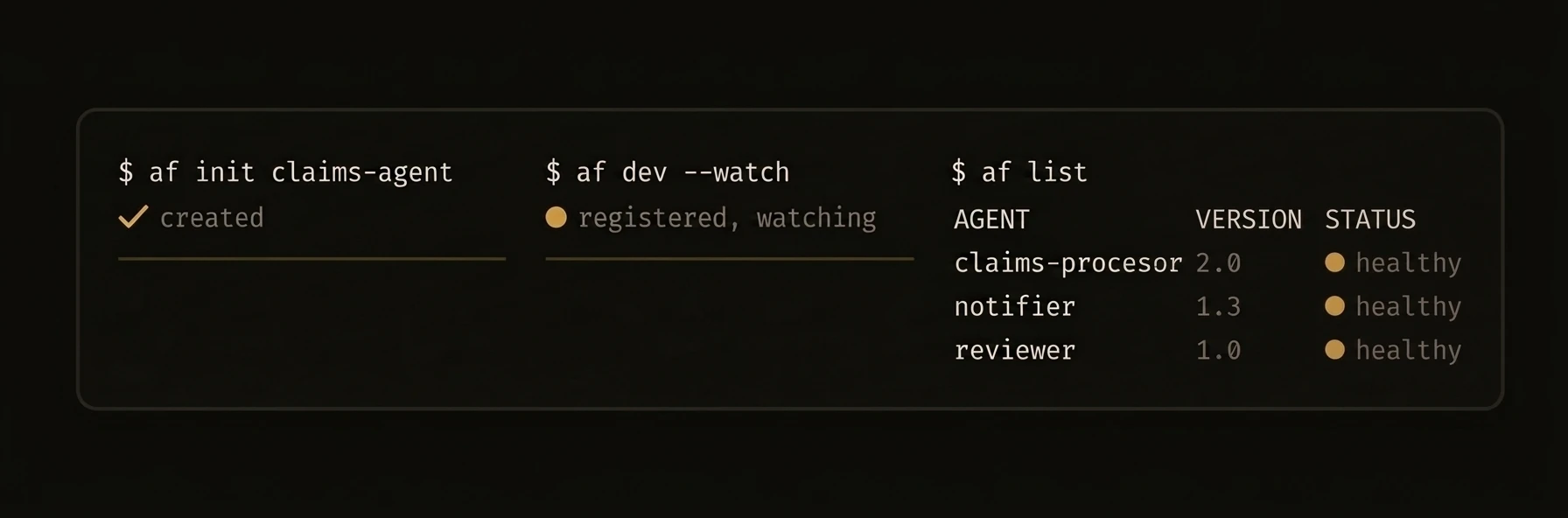
The
afbinary is the single entry point for creating, running, and managing AgentField agents and the control plane server.
Install from the releases page or build from source:
af agent — Machine-Readable CLI
AI agents operating an AgentField control plane should use af agent subcommands. These provide a machine-readable interface to the control plane.
Subcommands
| Subcommand | Description |
|---|---|
af agent status | Platform status as JSON |
af agent discover | List all capabilities as JSON |
af agent query | Query an agent |
af agent run | Fetch run overview by ID |
af agent agent-summary | Get a summary of a specific agent |
af agent kb | Knowledge base operations |
af agent batch | Batch operations |
Flags for af agent
| Flag | Description |
|---|---|
--output | Output format: json or compact (default: json) |
--timeout | Request timeout in seconds |
--server | Control plane URL |
Example — AI Agent Workflow
This is how Claude Code or Cursor would interact with AgentField:
# 1. Discover what's available
af agent discover
{
"ok": true,
"data": {
"endpoints": [
{
"method": "GET",
"path": "/api/v1/agentic/status",
"summary": "Get system status overview",
"group": "agentic"
}
],
"total": 1,
"groups": ["agentic", "discovery", "memory"],
"filters": { "q": "", "group": "", "method": "" },
"see_also": {
"live_agents": "GET /api/v1/discovery/capabilities — lists running agents, their reasoners, skills, and invocation targets",
"kb": "GET /api/v1/agentic/kb/topics — knowledge base with SDK patterns, architecture guides, and examples"
}
},
"meta": { "server": "http://localhost:8080", "latency": "12ms", "status_code": 200 }
}# 2. Fetch a run overview by ID
af agent run --id run_20260318_001{
"ok": true,
"data": { "..." : "run overview returned by GET /api/v1/agentic/run/<run_id>" },
"meta": { "server": "http://localhost:8080", "latency": "18ms", "status_code": 200 }
}# 3. Check platform health
af agent status{
"ok": true,
"data": {
"health": { "status": "healthy", "storage": "healthy" },
"agents": { "total": 3, "active": 2 },
"executions_24h": { "total": 47, "statuses": { "completed": 42, "failed": 5 }, "since": "2026-03-23T10:00:00Z" },
"server": { "uptime_seconds": 86400, "go_version": "go1.23.0", "goroutines": 12 }
},
"meta": { "server": "http://localhost:8080", "latency": "5ms", "status_code": 200 }
}Error Handling
All errors return a consistent JSON structure:
{
  "ok": false,
  "error": {
    "code": "not_found",
    "message": "Agent 'nonexistent' is not registered with the control plane"
  },
  "meta": { "server": "http://localhost:8080", "latency": "3ms", "status_code": 404 }
}
Global Flags
These flags apply to every command:
| Flag | Short | Description |
|---|---|---|
--verbose | -v | Enable verbose output |
--config | Path to agentfield.yaml config file | |
--api-key | -k | API key for authenticating with the control plane |
Essential Commands
| Command | Description |
|---|---|
af init [name] | Scaffold a new agent project |
af dev [path] | Run agent in dev mode with hot reload |
af server | Start the control plane |
af run <agent> | Start an installed agent in the background |
af add | Add MCP servers or agent packages |
af list | List installed agent packages |
af agent status | Show platform and node status (JSON) |
af agent discover | List available capabilities (JSON) |
af session start <node>.<session> | Start a realtime or multimodal session through the control plane |
af aforge ensure | (Re)install the AForge harness binary into ~/.agentfield/bin |
af harness doctor --provider <name> | Check a harness provider's binary; --json also reports credential env-var presence |
af session — Realtime Sessions
af session
Start and operate AgentField sessions without connecting clients directly to the realtime provider.
Start a session
af session start voice-support-af.voice \
  --provider openai \
  --transport webrtc \
  --model gpt-realtime-2 \
  --voice marin
Exchange a WebRTC SDP offer
af session offer sess_123 \
  --provider openai \
  --transport webrtc \
  --sdp @offer.sdp > answer.sdp
--sdp accepts inline SDP, @path, or - for stdin. The default output is raw SDP so browser automation can pipe it directly. Use --output json to wrap the answer as JSON.
Invoke a session tool
Use this to fulfill or simulate a provider/client tool call for a live session. Handler code should use session.call(...) directly when it controls the orchestration.
af session tool sess_123 resolve_voice_turn \
  --target voice-support-af.resolve_voice_turn \
  --in '{"turn":{"transcript":"My order has not arrived."}}'
Session tools route to AgentField execute/async with the session ID attached, so provider-driven work appears in the normal workflow DAG.
List workflows for a session
af session workflows sess_123Provider and transport are explicit controls. AgentField validates the pair and returns a clear error for unsupported combinations.
af init — Scaffold a Project
af init
af init [project-name] [flags]Creates a project directory with agentfield.yaml, a starter agent file, and the correct package structure.
Flags
| Flag | Short | Description |
|---|---|---|
--language | -l | Language: python, typescript, or go |
--defaults | Use defaults with no interactive prompts | |
--author | -a | Author name |
--email | -e | Author email |
Examples
af init                              # Interactive mode
af init my-agent                     # With project name
af init my-agent --language python   # Python project
af init my-agent --defaults          # Non-interactive with defaults
af init my-agent -l go --author "Jane Doe" --email "jane@example.com"
Output
Created project 'my-agent' with:
  agentfield.yaml     — Agent configuration
  main.py             — Starter agent with example reasoner
  requirements.txt    — Python dependencies
  README.md           — Getting started guide

Next steps:
  cd my-agent
  af dev
af dev — Development Mode
af dev
af dev [path] [flags]Reads agentfield.yaml in the target directory, starts the agent process, registers with the control plane, and provides verbose logging.
Flags
| Flag | Short | Description |
|---|---|---|
--port | -p | Use a specific port (auto-assigned by default) |
--watch | -w | Watch for file changes and auto-restart |
--verbose | -v | Verbose output |
Examples
af dev                    # Run package in current directory
af dev ./my-agent         # Run package in a subdirectory
af dev --port 8005        # Use a specific port
af dev --watch            # Auto-restart on file changes
Output
AgentField Dev Mode
───────────────────
Agent:    my-agent
Port:     8005 (auto-assigned)
Server:   http://localhost:8080
Status:   registered ✓

Reasoners:
  • my-agent.analyze    — Analyze input text
  • my-agent.summarize  — Generate summary

Watching for changes... (Ctrl+C to stop)
af run, af server
af run
Start an installed agent node package in the background.
af run <agent-name> [flags]| Flag | Short | Description |
|---|---|---|
--port | -p | Use a specific port |
--detach | -d | Run in background (default: true) |
--verbose | -v | Verbose output |
Examples
af run email-assistant                # Start with auto-assigned port
af run email-assistant --port 8005    # Specific port
af run email-assistant --verbose      # See detailed startup logs
Output
Started 'email-assistant' on port 8005 (PID 42301)
Registered with control plane at http://localhost:8080
Node ID: node_a1b2c3d4
af server
Start the AgentField control plane server.
af server [flags]Launches the control plane API server, web UI, and all background services. Reads configuration from agentfield.yaml.
Key Environment Variables
| Variable | Description |
|---|---|
AGENTFIELD_HOME | Data directory (default: ~/.agentfield) |
AGENTFIELD_SERVER | Control plane URL for agents to connect to |
AGENTFIELD_AUTHORIZATION_ADMIN_TOKEN | Admin token for authorization endpoints |
Examples
af server                             # Start with defaults (port 8080, SQLite)
af server --port 9090                 # Custom port
af server --storage-mode=postgres --postgres-url="postgres://..."
Output
AgentField Control Plane v0.9.2
────────────────────────────────
API:      http://localhost:8080/api/v1
Web UI:   http://localhost:8080
Storage:  SQLite (~/.agentfield/data.db)
Features: memory, did, approval, workflow

Ready. Waiting for agent connections...
af list, af config, af agent status
af list
List installed agent packages with version, language, and status.
af list [flags]Normal Output
Installed Agents
────────────────
Name               Version   Language   Status
email-assistant    1.2.0     python     running (port 8005)
doc-parser         0.8.1     go         stopped
summarizer         2.0.0     typescript running (port 8006)
Example
af listaf config
Get or set runtime configuration for an installed agent.
af config <agent-name>                  # Interactive configuration
af config <agent-name> --list           # List current environment config
af config <agent-name> --set KEY=VALUE  # Set an environment variable
af config <agent-name> --unset KEY      # Remove an environment variable
Normal Output
af config email-assistantConfiguration: email-assistant
──────────────────────────────
model = claude-sonnet-4-20250514
max_tokens = 4096
temperature = 0.7
smtp_host = smtp.gmail.com
smtp_port = 587
Setting Values
af config email-assistant --set model=claude-sonnet-4-20250514
af config email-assistant --set max_tokens=8192
af agent status
Show platform and node status as structured JSON. Note that status is a subcommand of af agent, not a top-level command.
af agent status{
"ok": true,
"data": {
"health": { "status": "healthy", "storage": "healthy" },
"agents": { "total": 3, "active": 2 },
"executions_24h": { "total": 47, "statuses": { "completed": 42, "failed": 5 }, "since": "2026-03-23T10:00:00Z" },
"server": { "uptime_seconds": 86400, "go_version": "go1.23.0", "goroutines": 12 }
},
"meta": { "server": "http://localhost:8080", "latency": "5ms", "status_code": 200 }
}af add — Dependencies and MCP Servers
af add
Add MCP servers or agent packages to your project.
af add <source> [alias] [flags]MCP Server Flags
| Flag | Description |
|---|---|
--mcp | Add an MCP server (required for MCP mode) |
--url | GitHub URL of a remote MCP server |
--run | Command to start the server (supports {{port}} template) |
--setup | Setup commands to run before starting (repeatable) |
--env | Environment variables as KEY=VALUE (repeatable) |
--working-dir | Working directory for the server process |
--health-check | Health check command (supports {{port}} template) |
--timeout | Startup timeout in seconds |
--force | Overwrite if already added |
Examples
# Remote MCP server
af add --mcp --url https://github.com/modelcontextprotocol/server-github

# Local MCP server
af add --mcp my-server --run "node server.js --port {{port}}" \
  --setup "npm install" --setup "npm run build"

# Agent packages
af add github.com/agentfield-helpers/email-utils
Output
Added MCP server 'server-github'
  Source:   https://github.com/modelcontextprotocol/server-github
  Setup:    npm install (done)
  Status:   ready

Updated agentfield.yaml with new MCP server configuration.
af agent run, af execution, af share
af agent run
Fetch a run overview by ID. This retrieves details about a specific run from the control plane.
af agent run --id <run_id>Example
af agent run --id run_20260318_001{
"ok": true,
"data": { "..." : "run overview returned by GET /api/v1/agentic/run/<run_id>" },
"meta": { "server": "http://localhost:8080", "latency": "18ms", "status_code": 200 }
}af execution
Manage running workflow executions. This command does not start new executions — use af agent run for that.
af execution cancel <execution-id>
af execution pause <execution-id>
af execution resume <execution-id>
Examples
# Cancel a running execution
af execution cancel exec_8f2a1b3c

# Pause a workflow
af execution pause exec_8f2a1b3c

# Resume a paused workflow
af execution resume exec_8f2a1b3c
af share
Turn a workflow run into something you can send. af share exports a self-contained HTML file — the run's DAG, timeline, and per-node input/output previews — that opens offline with no CDN and no network. Add --public to also publish a hosted permalink.
af share <workflow-id> [flags]| Flag | Short | Description |
|---|---|---|
--output | -o | Output HTML path (default: run-<workflow-id>.html) |
--title | Human title for the run (default: derived from the entry node) | |
--public | Publish a shareable permalink (uploads to agentfield.ai; override with AGENTFIELD_SHARE_URL) | |
--redact | Replace every input/output preview with [redacted] | |
--demo | Render from an embedded demo fixture (no control plane needed) |
Examples
# Export a run to run-<id>.html in the current directory
af share run-a1b2c3d4

# Publish a permalink you can post or send to a teammate
af share run-a1b2c3d4 --public
# => https://agentfield.ai/share/<token>

# Strip all input/output previews before sharing
af share run-a1b2c3d4 --redact

# Preview the viewer with no control plane running
af share --demo
Output
The local HTML path is always printed first; with --public, the permalink follows on the next line.
/Users/you/run-a1b2c3d4.html
https://agentfield.ai/share/17CFxVqa3Ol7
af vc verify, af mcp, af agent
af vc verify
Verify a Verifiable Credential exported from AgentField.
af vc verify <vc-file.json> [flags]| Flag | Short | Description |
|---|---|---|
--format | -f | Output format: json or pretty (default: json) |
--resolve-web | Resolve all DIDs from web | |
--did-resolver | Custom DID resolver URL | |
--verbose | -v | Show detailed verification steps |
Example
af vc verify credential.json --verboseVerifiable Credential Verification
───────────────────────────────────
Issuer: did:web:agentfield.example.com
Subject: did:web:agentfield.example.com:agents:email-assistant
Type: TagCredential
Tags: email, communication
Issued: 2025-03-24T10:00:00Z
Checks:
✓ Signature valid (Ed25519)
✓ Issuer DID resolved
✓ Not revoked
✓ Not expired
Result: VALID
af mcp
Manage MCP server integrations.
af mcp status        # Show MCP server status
af mcp start         # Start MCP servers
af mcp stop          # Stop MCP servers
af mcp restart       # Restart MCP servers
af mcp logs          # View MCP server logs
af mcp remove        # Remove an MCP server
af mcp discover      # Discover MCP server tools
af mcp skills        # List MCP-provided skills
af mcp migrate       # Migrate MCP server configuration
af mcp restart <name> # Restart an MCP server
Example
af mcp statusMCP Servers
───────────
Name Status Port Uptime
server-github running 9001 2h 15m
my-server running 9002 45m
postgres-mcp stopped — —
af agent
Machine-friendly subcommands that return structured JSON on stdout. See the af agent section above for the full list of subcommands and flags.
af agent status          # Platform status as JSON
af agent discover        # Capabilities as JSON
af agent query           # Query an agent
af agent run             # Fetch run overview by ID
af agent agent-summary   # Get agent summary
af agent kb              # Knowledge base operations
af agent batch           # Batch operations
Example
af agent status{
"ok": true,
"data": {
"health": { "status": "healthy", "storage": "healthy" },
"agents": { "total": 3, "active": 2 },
"executions_24h": { "total": 47, "statuses": { "completed": 42, "failed": 5 }, "since": "2026-03-23T10:00:00Z" },
"server": { "uptime_seconds": 86400, "go_version": "go1.23.0", "goroutines": 12 }
},
"meta": { "server": "http://localhost:8080", "latency": "5ms", "status_code": 200 }
}af aforge, af harness doctor — Harness Providers
af aforge ensure
AForge is AgentField's native coding harness and the default provider
for app.harness(...). It installs into
$AGENTFIELD_HOME/bin (default ~/.agentfield/bin) — the same directory the curl installer puts
af in — and the curl installer, AgentField Desktop, and the official Docker images all provision
it for you, so you normally never run this.
af aforge ensure          # no-op when the pinned build is already installed
af aforge ensure --force  # re-download, e.g. to repair a broken binary
The version is pinned to your af release, so this never fetches a newer AForge. If you installed
af some other way, make sure that directory is on $PATH (or point AFORGE_BIN at the binary) —
the SDKs resolve aforge by name.
AForge needs OPENROUTER_API_KEY in the environment. AFORGE_MODEL overrides the model it runs;
leave it unset to take AForge's own default.
af harness doctor
Check that a harness provider's binary is installed and runnable before a loop depends on it. The
verdict (ready / unavailable) comes only from whether the binary resolves and reports a version;
--provider X exits 1 when X is unusable.
af harness doctor --provider aforge
af harness doctor --provider claude-code
--provider accepts aforge, claude-code, codex, gemini, opencode, and grok. The default
provider — used when no provider is set in code — is aforge, or whatever
AGENTFIELD_HARNESS_PROVIDER names.
Add --json to also see auth: whether the provider's credential env var (OPENROUTER_API_KEY for
AForge) is set. That check is presence-only — the key is never validated, and a missing one does not
fail the command.