Media generation
Generate images, video, audio, and music with a unified API backed by pluggable media providers across Python, TypeScript, and Go.
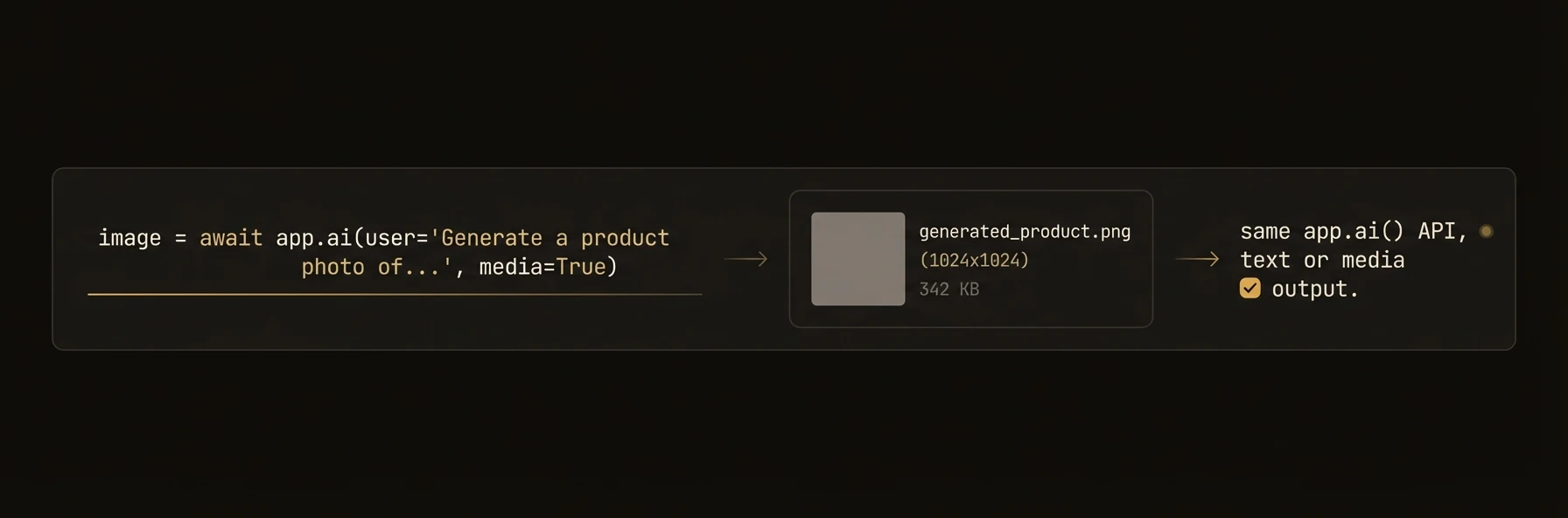
Generate images, audio, video, and music from your agents — same method pattern across Python, TypeScript, and Go.
Agents that generate reports, product listings, marketing content, or customer-facing assets often need more than text. AgentField's media generation API lets you create images, narrate text, produce video, generate music, and transcribe audio through a unified interface backed by pluggable providers like fal.ai, OpenRouter, DALL-E, and ElevenLabs.
from agentfield import Agent, AIConfig

app = Agent(
    node_id="product-listing-generator",
    ai_config=AIConfig(
        fal_api_key="your-fal-key",           # or FAL_KEY env var
        openrouter_api_key="your-or-key",      # or OPENROUTER_API_KEY env var
    ),
)

@app.reasoner()
async def generate_product_listing(product: dict) -> dict:
    # Generate a product image via OpenRouter (Gemini)
    image = await app.ai_generate_image(
        prompt=f"Professional product photo: {product['name']}",
        model="openrouter/google/gemini-3.1-flash-image-preview",
    )
    image.images[0].save(f"/output/{product['id']}_hero.png")

    # Generate a short product demo video via OpenRouter
    video = await app.ai_generate_video(
        prompt=f"Product demonstration: {product['name']} in use",
        model="openrouter/kling-video/v2.0/master",
        duration=10,
    )
    if video.videos:
        video.videos[0].save(f"/output/{product['id']}_demo.mp4")

    # Generate audio narration
    audio = await app.ai_generate_audio(
        text=f"Introducing {product['name']}: {product['description']}",
        model="openrouter/openai/tts-1",
        voice="alloy",
    )
    if audio.audio:
        audio.audio.save(f"/output/{product['id']}_narration.wav")

    # Generate background music
    music = await app.ai_generate_music(
        prompt="Upbeat corporate background music for product video",
        model="openrouter/google/lyria-3-pro",
        duration=30,
    )
    if music.audio:
        music.audio.save(f"/output/{product['id']}_bgm.wav")

    return {
        "image_url": image.images[0].url if image.images else None,
        "video_url": video.videos[0].url if video.videos else None,
        "audio_url": audio.audio.url if audio.audio else None,
    }
What you get back
Every SDK returns typed response objects with saveable files and URLs — not raw provider responses you have to normalize yourself.
{
  "image_url": "https://cdn.example.com/product_hero.webp",
  "video_url": "https://cdn.example.com/product_demo.mp4",
  "audio_url": "https://cdn.example.com/product_narration.wav",
  "music_url": "https://cdn.example.com/background_music.wav"
}
What you get
- Unified generation API —
ai_generate_image(),ai_generate_video(),ai_generate_audio(),ai_generate_music()with consistent signatures across all three SDKs. - Pluggable providers — FalProvider (fal.ai), LiteLLMProvider (DALL-E, OpenAI TTS), OpenRouterProvider (Gemini, Kling, GPT Audio, Lyria). Register custom providers.
- MediaRouter — Automatic provider dispatch based on model prefix.
"openrouter/..."routes to OpenRouter,"fal-ai/..."routes to fal.ai. - Rich output types —
MultimodalResponse/MediaResponsewith.images,.audio,.videos,.files, all with.save()and.get_bytes()methods. - VideoOutput — Dedicated video type with
duration,resolution,aspect_ratio,has_audio, andcost_usdmetadata. - Music generation — Generate instrumental tracks with Google Lyria 3 Pro (Python).
- Model override per call — Use different models for different media types without reconfiguring.
MediaRouter — prefix-based provider dispatch
The MediaRouter automatically selects the right provider based on the model name prefix. This means you never manually pick a provider — just pass the full model name.
# Automatic routing based on model prefix — no manual provider selection
await app.ai_generate_video(
    "A cat playing with yarn",
    model="openrouter/kling-video/v2.0/master",    # → OpenRouterProvider
)
await app.ai_generate_video(
    "A cat playing with yarn",
    model="fal-ai/minimax-video/image-to-video",   # → FalProvider
)
await app.ai_generate_image(
    "A sunset over mountains",
    model="dall-e-3",                                # → LiteLLMProvider (default)
)
Routing rules
- Longest prefix wins —
"openrouter/google/"is preferred over"openrouter/"if both are registered. - Capability check — The router verifies the matched provider supports the requested modality (image, audio, video, music).
- No match = error — A
ValueError(Python) /MediaProviderError(TypeScript) /error(Go) is raised if no provider matches. - Prefix stripped — The matched prefix is removed before passing the model name to the provider, so providers see clean model names.
Media providers
AgentField uses a pluggable provider system for media generation. Each provider wraps an external API and returns standardized output types.
Built-in Providers
| Provider | Key | Supports | Example Models |
|---|---|---|---|
| FalProvider | "fal" | Images, video, audio | fal-ai/flux/schnell, fal-ai/minimax-video, fal-ai/f5-tts |
| LiteLLMProvider | "litellm" | Images, audio | dall-e-3, tts-1 |
| OpenRouterProvider | "openrouter" | Images, video, audio, music | Any OpenRouter model in each category. Examples: openrouter/google/gemini-3.1-flash-image-preview, openrouter/x-ai/grok-imagine-image-quality, openrouter/google/veo-3.1-lite, openrouter/openai/gpt-audio-mini, openrouter/hexgrad/kokoro-82m, openrouter/google/lyria-3-pro. |
OpenRouter audio routing — /audio/speech vs chat-completions
OpenRouter exposes two audio APIs. The SDK chooses automatically per model so you never have to:
POST /audio/speech(OpenAI-compatible TTS) — used for models whoseoutput_modalitiesis["speech"]. Covers every dedicated TTS model on OpenRouter, e.g.hexgrad/kokoro-82m,unrealspeech/*, etc.POST /chat/completionswithmodalities=["text","audio"]SSE streaming — used for chat-audio models whoseoutput_modalitiescontains"audio", i.e. theopenai/gpt-audio*family.
The SDK fetches /api/v1/models/{id}/endpoints once per model and caches
the result. When the upstream returns raw PCM, the SDK wraps it in a WAV
header on the client so format="wav" always returns something playable.
Configuration
from agentfield import Agent, AIConfig

app = Agent(
    node_id="media-agent",
    ai_config=AIConfig(
        fal_api_key="...",           # or FAL_KEY env var
        openrouter_api_key="...",    # or OPENROUTER_API_KEY env var
    ),
)

# OpenRouter image generation (Gemini)
image = await app.ai_generate_image(
    prompt="A sunset over mountains",
    model="openrouter/google/gemini-3.1-flash-image-preview",
    image_config={"aspect_ratio": "16:9"},
)

# Fal.ai image generation (Flux)
image = await app.ai_generate_image(
    prompt="A sunset over mountains",
    model="fal-ai/flux/dev",
    size="landscape_16_9",
)

# DALL-E image generation (default provider)
image = await app.ai_generate_image(
    prompt="A sunset over mountains",
    model="dall-e-3",
    size="1792x1024",
    quality="hd",
)
Custom Providers
from agentfield.media_providers import MediaProvider, register_provider

class MyProvider(MediaProvider):
    @property
    def name(self) -> str:
        return "my-provider"

    @property
    def supported_modalities(self):
        return ["image"]

    async def generate_image(self, prompt, model=None, **kwargs):
        result = await my_api.generate(prompt, **kwargs)
        return MultimodalResponse(
            text=prompt,
            images=[ImageOutput(url=result["url"])],
        )

    async def generate_audio(self, text, **kwargs):
        raise NotImplementedError("Audio not supported")

register_provider("my-provider", MyProvider)
Output types
All generation methods return typed output objects with convenience methods.
ImageOutput
| Property / Method | Python | TypeScript | Go |
|---|---|---|---|
| URL | .url: str? | .url?: string | .URL: string |
| Base64 data | .b64_json: str? | .b64Json?: string | .B64JSON: string |
| Revised prompt | .revised_prompt: str? | .revisedPrompt?: string | .RevisedPrompt: string |
| Save to file | .save(path) | response.saveImage(img, path) | manual write |
| Get raw bytes | .get_bytes() → bytes | — | — |
AudioOutput
| Property / Method | Python | TypeScript | Go |
|---|---|---|---|
| URL | .url: str? | .url?: string | .URL: string |
| Base64 data | .data: str? | .data?: string | .Data: string |
| Format | .format: str | .format: string | .Format: string |
| Save to file | .save(path) | response.saveAudio(audio, path) | manual write |
| Get raw bytes | .get_bytes() → bytes | — | — |
VideoOutput
Video generation returns dedicated VideoOutput objects with rich metadata — not generic file outputs.
| Property / Method | Python | TypeScript | Go |
|---|---|---|---|
| URL | .url: str? | .url?: string | .URL: string |
| Base64 data | .data: str? | .data?: string | .Data: string |
| MIME type | .mime_type: str | .mimeType?: string | .MimeType: string |
| Filename | .filename: str? | .filename?: string | .Filename: string |
| Duration | .duration: float? | .duration?: number | .Duration: float64 |
| Resolution | .resolution: str? | .resolution?: string | .Resolution: string |
| Aspect ratio | .aspect_ratio: str? | .aspectRatio?: string | .AspectRatio: string |
| Has audio track | .has_audio: bool? | .hasAudio?: boolean | .HasAudio: bool |
| Generation cost | .cost_usd: float? | .costUsd?: number | .CostUSD: float64 |
| Save to file | .save(path) | — | manual write |
| Get raw bytes | .get_bytes() → bytes | — | — |
Transcription (Python)
Transcription returns a MultimodalResponse — use .text for the transcribed text and .raw_response for provider-specific details like segments.
Patterns
Image-to-Video Pipeline
Generate an image, then animate it into a video.
@app.reasoner()
async def image_to_video(prompt: str) -> dict:
    # Generate a hero image
    image = await app.ai_generate_image(
        prompt=f"Cinematic still frame: {prompt}",
        model="openrouter/google/gemini-3.1-flash-image-preview",
    )

    # Animate the image into a video
    video = await app.ai_generate_video(
        prompt=f"Smooth camera pan across: {prompt}",
        model="openrouter/kling-video/v2.0/master",
        image_url=image.images[0].url,
        duration=10,
    )

    return {
        "image": image.images[0].url,
        "video": video.videos[0].url if video.videos else None,
    }
Multi-Format Content Generation
Generate a complete content package — blog post, hero image, audio narration — from a single topic.
@app.reasoner()
async def generate_blog_assets(topic: str) -> dict:
    # Generate the blog post text
    post = await app.ai(
        system="Write an engaging technical blog post.",
        user=topic,
    )

    # Generate hero image via OpenRouter
    image = await app.ai_generate_image(
        prompt=f"Blog hero image for: {topic}. Modern, clean, technical.",
        model="openrouter/google/gemini-3.1-flash-image-preview",
    )

    # Generate audio version for podcast feed
    audio = await app.ai_generate_audio(
        text=post,
        model="openrouter/openai/tts-1",
        voice="nova",
    )

    # Generate background music for the audio version
    music = await app.ai_generate_music(
        prompt=f"Calm background music for a tech podcast about {topic}",
        duration=60,
    )

    return {
        "post": post,
        "image_url": image.images[0].url if image.images else None,
        "audio_url": audio.audio.url if audio.audio else None,
    }
Transcription Pipeline (Python)
Process uploaded audio files and extract structured data.
@app.reasoner()
async def process_meeting(audio_path: str) -> dict:
    transcript = await app.ai_transcribe_audio(
        audio_url=audio_path,
        model="fal-ai/whisper",
        language="en",
    )

    from pydantic import BaseModel

    class MeetingNotes(BaseModel):
        summary: str
        action_items: list[str]
        decisions: list[str]

    notes = await app.ai(
        system="Extract structured meeting notes from this transcript.",
        user=transcript.text,
        schema=MeetingNotes,
    )

    return notes.model_dump()
SDK reference
Generation Methods
| Method | Description | Returns |
|---|---|---|
await app.ai_generate_image(prompt, model=, size=, quality=, style=, image_config=) | Generate image from text | MultimodalResponse |
await app.ai_generate_video(prompt, model=, image_url=, duration=, resolution=, aspect_ratio=) | Generate video from text or image | MultimodalResponse |
await app.ai_generate_audio(text, model=, voice=, format=, speed=) | Generate speech from text | MultimodalResponse |
await app.ai_generate_music(prompt, model=, duration=) | Generate instrumental music | MultimodalResponse |
await app.ai_transcribe_audio(audio_url, model=, language=) | Transcribe audio to text | MultimodalResponse |
Provider Management
| Operation | Python | TypeScript | Go |
|---|---|---|---|
| Create provider | get_provider("fal", api_key="...") | new OpenRouterMediaProvider() | goai.NewOpenRouterMediaProvider(key) |
| Register provider | register_provider("name", Class) | router.register("prefix/", p) | router.Register("prefix/", p) |
| Route by model | Automatic via ai_generate_*() | router.resolve(model, cap) | router.Resolve(model, cap) |
| Set fal API key | AIConfig(fal_api_key=) / FAL_KEY | — | — |
| Set OpenRouter key | AIConfig(openrouter_api_key=) / OPENROUTER_API_KEY | Constructor or OPENROUTER_API_KEY | Constructor or OPENROUTER_API_KEY |
Video generation details
Video generation uses an async submit-poll-download lifecycle. You submit a job, poll for completion, and the SDK downloads the result automatically.
How it works
- Submit — POST to
/api/v1/videoswith prompt, model, and parameters. - Poll — GET
/api/v1/videos/{jobId}everypoll_intervalseconds until status is"complete". - Download — Fetch the video from the returned URL and encode as base64.
Parameters
| Parameter | Type | Default | Description |
|---|---|---|---|
prompt | str | required | Text description of the video |
model | str | config default | Video generation model |
image_url | str? | None | Single source image for image-to-video (shorthand for frame_images=[{frame_type:"first_frame", …}]). |
duration | float? | None | Video duration in seconds (model-specific — commonly 4 / 6 / 8). |
resolution | str? | None | Output resolution (e.g., "720p", "1080p"). |
aspect_ratio | str? | None | Aspect ratio (e.g., "16:9", "9:16"). |
generate_audio | bool? | None | Toggle a synchronized audio track (when the model supports it). |
seed | int? | None | Reproducibility seed. |
frame_images | list[dict]? | None | Per-frame guidance. Items: {"type":"image_url","image_url":{"url":"…"},"frame_type":"first_frame"|"last_frame"}. |
input_references | list[dict]? | None | Reference images for style / subject guidance (Veo "reference-to-video"). |
extra | dict? | None | Model-specific passthrough fields (e.g. Veo personGeneration). |
poll_interval | float | 30.0 | Seconds between poll requests. |
timeout | float | 600.0 | Maximum wait time in seconds. |
Image-to-video — first / last frame guidance
Pass the start frame, end frame, or both to frame_images. The SDK serialises items as-is; URLs can be https://… or data:image/jpeg;base64,….
video = await app.ai_generate_video(
    prompt="A red panda climbs from the base of a bamboo grove to the top.",
    model="openrouter/google/veo-3.1-lite",
    duration=4,
    frame_images=[
        {"type": "image_url",
         "image_url": {"url": first_frame_data_url},
         "frame_type": "first_frame"},
        {"type": "image_url",
         "image_url": {"url": last_frame_data_url},
         "frame_type": "last_frame"},
    ],
    extra={"seed": 42},  # any model-specific passthrough
)
Example models
The OpenRouter provider routes by querying each model's output_modalities metadata, so any OpenRouter video model works without an SDK change — the list below is just a sample of what people actually use.
| Model | Provider | Type |
|---|---|---|
openrouter/google/veo-3.1-lite | OpenRouter | Text / image-to-video, native audio |
openrouter/google/veo-3.1 | OpenRouter | Text / image-to-video |
openrouter/kling-video/v2.0/master | OpenRouter | Text / image-to-video |
fal-ai/minimax-video/image-to-video | fal.ai | Image-to-video |
fal-ai/kling-video/v1/standard/text-to-video | fal.ai | Text-to-video |
Music generation (Python)
Generate instrumental music tracks using Google Lyria 3 Pro via OpenRouter.
# Simple music generation
music = await app.ai_generate_music(
    prompt="Upbeat electronic track for a product demo",
    model="openrouter/google/lyria-3-pro",
    duration=30,
)
music.audio.save("demo_music.wav")

# Access raw audio bytes
audio_bytes = music.audio.get_bytes()
print(f"Generated {len(audio_bytes)} bytes of audio")
Parameters
| Parameter | Type | Default | Description |
|---|---|---|---|
prompt | str | required | Text description of the music |
model | str | "google/lyria-3-pro" | Music generation model |
duration | int? | None | Duration in seconds (1–600) |