Multimodal
Vision, audio, and media generation: images, speech, and video through a unified interface
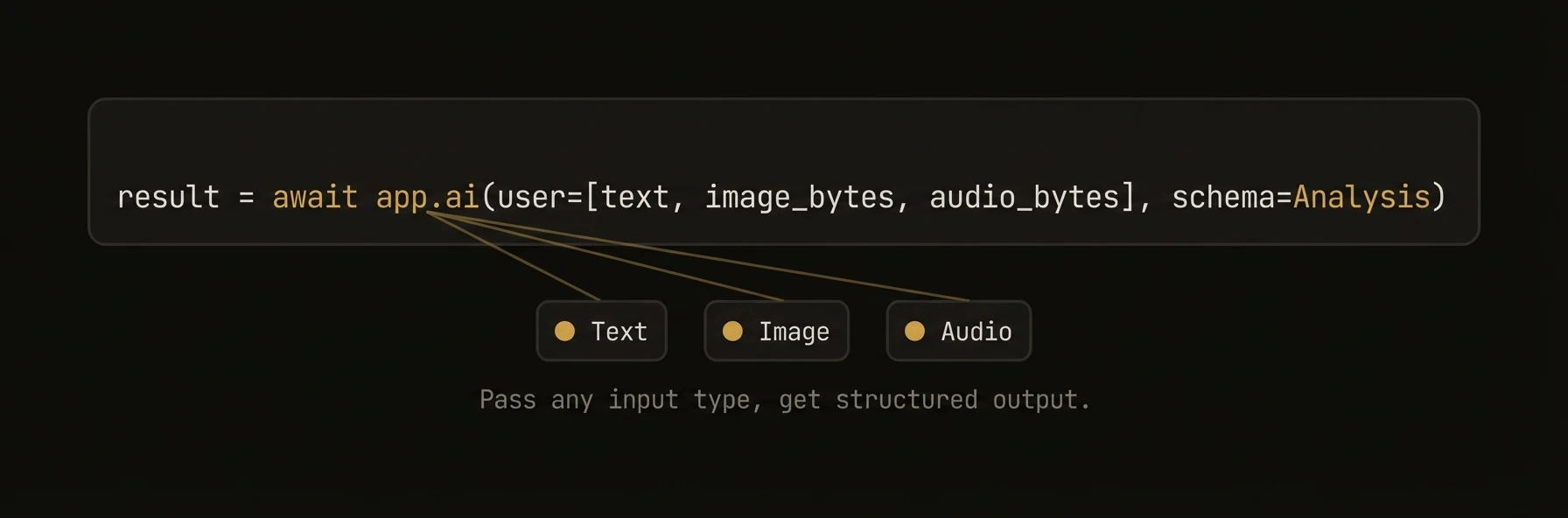
Send images and audio to LLMs. Generate images, speech, video, and music. The Python SDK provides first-class multimodal support through app.ai() with automatic input type detection — just pass an image URL or file path and the SDK handles the rest. All three SDKs support media generation through a pluggable MediaProvider system with built-in OpenRouter, fal.ai, and DALL-E backends.
from agentfield import Agent, AIConfig
from agentfield.multimodal import image_from_url, image_from_file, audio_from_file, text

app = Agent(node_id="visual-analyst", ai_config=AIConfig(model="openai/gpt-4o"))

# Vision — auto-detects image URLs, no special config needed
response = await app.ai(
    "Describe what you see in this image:",
    "https://example.com/photo.jpg",
)

# Multiple images in one call — compare, diff, or analyze sets
response = await app.ai(
    text("Compare these two charts and identify the key differences:"),
    image_from_url("https://example.com/chart_q1.webp"),
    image_from_url("https://example.com/chart_q2.webp"),
)

# Local files — auto base64 encoding, MIME detection
response = await app.ai(
    text("What architectural style is this building?"),
    image_from_file("./photos/building.jpg", detail="high"),
)

# Audio transcription — send audio to speech-capable models
response = await app.ai(
    text("Transcribe this recording and summarize the key points:"),
    audio_from_file("./recordings/meeting.wav"),
)

# Image generation — DALL-E, Flux, Stable Diffusion
result = await app.ai_generate_image(
    "A futuristic cityscape at sunset, cyberpunk style",
    model="dall-e-3",
    size="1792x1024",
    quality="hd",
)
result.images[0].save("cityscape.webp")

# Video generation — text-to-video and image-to-video via fal.ai
result = await app.ai_generate_video(
    "Camera slowly pans across a mountain landscape at golden hour",
    model="fal-ai/minimax-video/image-to-video",
    image_url="https://example.com/mountain.jpg",
)
result.files[0].save("landscape.mp4")

# Speech generation — TTS with voice selection
result = await app.ai_generate_audio(
    "Welcome to AgentField, the open-source control plane for AI agents.",
    model="tts-1-hd",
    voice="alloy",
)
result.audio.save("welcome.wav")
What just happened
The examples used one interface for three very different workloads: sending images, sending audio, and generating media outputs. That matters because multimodal support is only useful if teams do not need separate mental models for vision, transcription, and generation.
{
  "vision_input": "image_url_or_file",
  "audio_input": "audio_file",
  "generated_outputs": ["image", "video", "audio"]
}
Realtime multimodal
The examples above are request/response — one payload in, one response out. For live multi-turn audio (browser voice calls, operator copilots, intake calls), use a session. The browser holds a WebRTC connection, AgentField proxies the provider, and any tool calls the live model makes route back through the same execution model as a normal reasoner. See the realtime voice sessions quick guide.
What You Get
- Vision input -- send images (URLs, files, bytes) to any vision-capable LLM
- Audio input -- send audio files to speech-capable models
- Image generation -- DALL-E, Flux, Stable Diffusion via LiteLLM and fal.ai
- Speech generation -- TTS via OpenAI, fal.ai
- Video generation — text-to-video and image-to-video via fal.ai and OpenRouter (all SDKs)
- Music generation — instrumental tracks via Google Lyria 3 Pro (Python)
- Unified response —
MultimodalResponse/MediaResponsewith.text,.images,.audio,.videos,.files
Input Helpers (Python)
The Python SDK provides convenience functions for building multimodal prompts.
| Helper | Description | Example |
|---|---|---|
text(s) | Explicit text content | text("Describe this:") |
image_from_url(url, detail="high") | Image from URL | image_from_url("https://...") |
image_from_file(path, detail="high") | Image from local file (auto base64) | image_from_file("./photo.jpg") |
audio_from_file(path, format=None) | Audio from local file | audio_from_file("./speech.mp3") |
audio_from_url(url, format="wav") | Audio from URL | audio_from_url("https://...") |
file_from_path(path, mime_type=None) | Generic file content | file_from_path("./data.pdf") |
file_from_url(url, mime_type=None) | File from URL | file_from_url("https://...") |
from agentfield.multimodal import (
    text, image_from_url, image_from_file,
    audio_from_file, file_from_path,
)

# Mix text and images
response = await app.ai(
    text("Compare the architectural styles:"),
    image_from_file("./building_a.jpg"),
    image_from_file("./building_b.jpg"),
    text("Which one is Art Deco?"),
)

# Audio transcription
response = await app.ai(
    text("Transcribe this recording:"),
    audio_from_file("./meeting.wav"),
)
Auto-Detection (Python)
When you pass positional arguments to app.ai(), the SDK auto-detects the content type.
| Input | Detection | Handling |
|---|---|---|
str ending in .jpg, .png, .gif, .webp | Image URL | Wrapped as image_url content part |
str ending in .mp3, .wav, .flac, .ogg | Audio URL/path | Wrapped as input_audio content part |
str (other) | Text | Used as user message text |
bytes | Binary data | Detected and encoded as base64 |
dict with "image" key | Image | Wrapped as image content |
list of dict | Messages | Used as full conversation |
Image, Audio, Text objects | Multimodal | Used directly |
# These are equivalent:
await app.ai("Describe this:", "https://example.com/photo.jpg")
await app.ai(text("Describe this:"), image_from_url("https://example.com/photo.jpg"))
Media Generation
Media generation uses a pluggable provider system. All three SDKs support image, audio, and video generation. Python additionally supports music generation and transcription. See the Media Generation page for full details.
Quick Examples
# Image generation — OpenRouter (Gemini)
result = await app.ai_generate_image(
    "A watercolor painting of a mountain lake",
    model="openrouter/google/gemini-3.1-flash-image-preview",
)
result.images[0].save("lake.webp")

# Video generation — async polling
result = await app.ai_generate_video(
    "Camera slowly pans across a mountain landscape",
    model="openrouter/kling-video/v2.0/master",
    duration=10,
)
if result.videos:
    result.videos[0].save("mountain_video.mp4")

# Audio generation — SSE streaming
result = await app.ai_generate_audio(
    "Welcome to AgentField.",
    model="openrouter/openai/tts-1",
    voice="alloy",
)
result.audio.save("welcome.wav")

# Music generation — Google Lyria 3 Pro
result = await app.ai_generate_music(
    "Calm ambient background music",
    model="openrouter/google/lyria-3-pro",
    duration=30,
)
result.audio.save("bgm.wav")
MultimodalResponse
All media generation methods return a MultimodalResponse.
| Property | Type | Description |
|---|---|---|
text | str | Text content (prompt or LLM response) |
images | list[ImageOutput] | Generated images |
audio | AudioOutput? | Generated audio |
videos | list[VideoOutput] | Generated videos |
files | list[FileOutput] | Generated files |
has_images | bool | Whether response contains images |
has_audio | bool | Whether response contains audio |
has_videos | bool | Whether response contains videos |
has_files | bool | Whether response contains files |
is_multimodal | bool | Whether any non-text content exists |
cost_usd | float? | Estimated cost |
usage | dict | Token usage breakdown |
raw_response | Any? | Raw provider response |
Save All Content
result = await app.ai_generate_image("A sunset over the ocean", num_images=3)

# Save everything to a directory
saved = result.save_all("./output", prefix="sunset")
# Returns: {"image_0": "./output/sunset_image_0.webp", ...}
ImageOutput Methods
| Method | Description |
|---|---|
save(path) | Save image to file |
get_bytes() | Get raw image bytes |
show() | Display image (requires Pillow) |
AudioOutput Methods
| Method | Description |
|---|---|
save(path) | Save audio to file |
get_bytes() | Get raw audio bytes |
play() | Play audio (requires pygame) |
Vision Input (Go)
Go provides functional options for attaching images to requests.
// From URL
resp, _ := client.Complete(ctx, "What breed is this dog?",
    ai.WithImageURL("https://example.com/dog.jpg"),
)

// From local file (auto base64 + MIME detection)
resp, _ := client.Complete(ctx, "Analyze this architecture diagram.",
    ai.WithImageFile("/path/to/diagram.webp"),
)

// From raw bytes
resp, _ := client.Complete(ctx, "Describe this image.",
    ai.WithImageBytes(pngData, "image/png"),
)
Media Provider System
All three SDKs use a pluggable provider system for media generation. A MediaRouter dispatches to the right provider based on model prefix.
| Provider | Supports | Setup | SDKs |
|---|---|---|---|
litellm | Image (DALL-E), Audio (TTS) | OPENAI_API_KEY env var | Python |
fal | Image (Flux, SDXL), Audio (Whisper, TTS), Video | FAL_KEY env var | Python |
openrouter | Image, Audio, Video, Music | OPENROUTER_API_KEY env var | Python, TypeScript, Go |
See the Media Generation page for provider configuration, custom providers, and the MediaRouter API.
SDK Support Matrix
| Feature | Python | TypeScript | Go |
|---|---|---|---|
| Vision input (URLs) | Auto-detect | Via messages | WithImageURL() |
| Vision input (files) | image_from_file() | Manual base64 | WithImageFile() |
| Vision input (bytes) | Auto-detect | Manual base64 | WithImageBytes() |
| Audio input | audio_from_file() | Via messages | N/A |
| Image generation | ai_generate_image() | provider.generateImage() | provider.GenerateImage() |
| Audio generation | ai_generate_audio() | provider.generateAudio() | provider.GenerateAudio() |
| Video generation | ai_generate_video() | provider.generateVideo() | provider.GenerateVideo() |
| Music generation | ai_generate_music() | — | — |
| Transcription | ai_transcribe_audio() | — | — |
| MediaProvider interface | ABC class | TypeScript interface | Go interface |
| MediaRouter | Built-in | MediaRouter class | MediaRouter struct |
| OpenRouter provider | Built-in | OpenRouterMediaProvider | OpenRouterMediaProvider |
| Fal.ai provider | Built-in | — | — |