Quickstart
Build an AI backend with your coding agent, or write the first agent yourself.
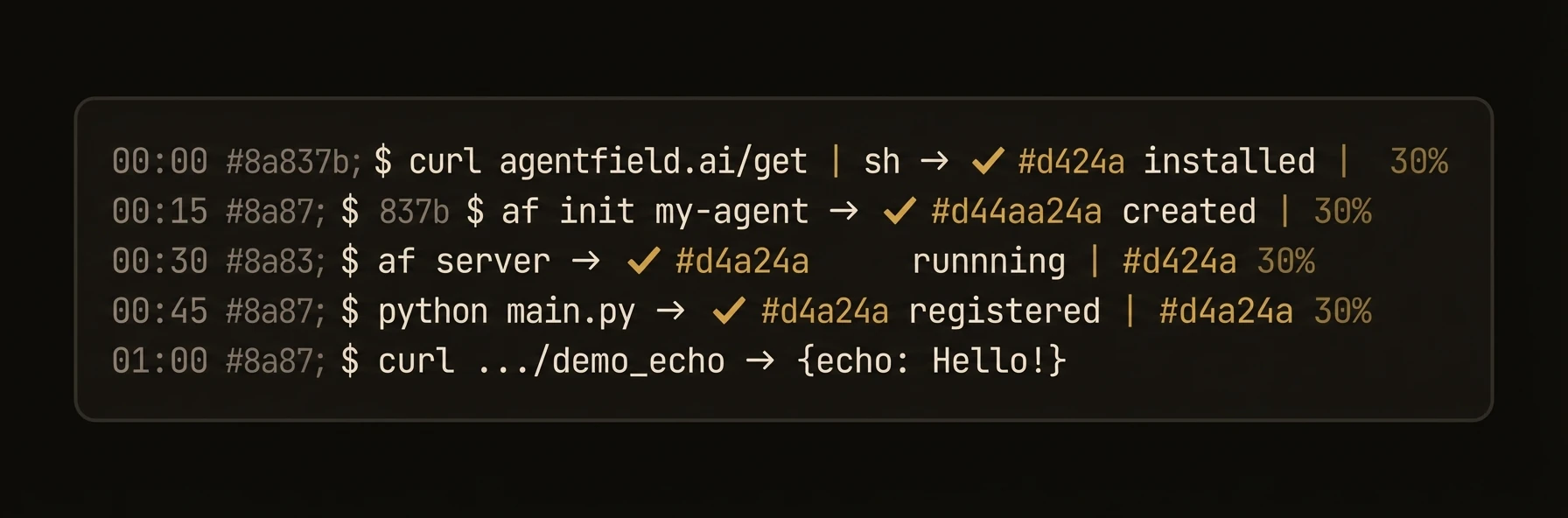
The fastest path is to let your coding agent scaffold the backend. The manual path is here too if you want to write the first agent yourself.
Install
This installs the af binary. Verify with af --version.
Give this to your coding agent
Copies the full setup prompt: install AgentField, add the SDK, start the agent, run a smoke test.Option 1: Build With Your Coding Agent
Use this when you want to describe the backend and get a running multi-agent stack back.
Works in Claude Code, Codex, Gemini CLI, OpenCode, Aider, Windsurf, and Cursor.
$ claude

> /agentfield a claims processor with risk scoring, pattern detection, and human approval for low-confidence decisions

Using agentfield-multi-reasoner-builder to architect your system
  Decomposing into 7 reasoners, depth 4
  Scaffolding claims-processor/ with docker-compose.yml
  Wiring orchestrator to risk_scorer, pattern_detector, approver
  Generating schemas, tags, and policy gates
  docker compose up: control plane + agent on :8080
  Smoke test passed. evaluate_claim returned 200

Stack is live. Try it.
In Claude Code, type:
/agentfield a claims processor with risk scoring and human approvalOr just describe the system in plain English:
Build a claims-processor agent with risk scoring, pattern detection,
and human approval for low-confidence decisions.
Build a research agent that spawns parallel investigators and recurses
into deeper sub-questions until the answer has citation-grade provenance.Build a compliance reviewer for support transcripts, extract claims,
check each against policy, flag violations, and emit a signed audit trail.The coding agent scaffolds the agents, writes docker-compose.yml, starts the stack, runs a smoke test, and returns a curl command you can run immediately:
curl -X POST http://localhost:8080/api/v1/execute/claims-processor.evaluate_claim \
  -H "Content-Type: application/json" \
  -d '{"input":{"id":"CL-42","description":"Fender bender, $2.4k"}}'
Option 2: Write It Yourself
Use this path when you want to see the smallest hand-written AgentField app.
Scaffold
af init my-agent && cd my-agentSet your LLM key in the generated .env file:
ANTHROPIC_API_KEY=sk-...Write Your Agent
# app.py
from agentfield import Agent, AIConfig
from pydantic import BaseModel

app = Agent(
    node_id="my-agent",
    agentfield_server="http://localhost:8080",
    ai_config=AIConfig(model="anthropic/claude-sonnet-4-20250514"),
)

class Summary(BaseModel):
    title: str
    key_points: list[str]

@app.reasoner()
async def summarize(text: str) -> dict:
    return (await app.ai(system="Summarize concisely.", user=text, schema=Summary)).model_dump()

app.run()
Run
Start the control plane in one terminal:
af serverThen run your agent app in a second terminal:
python app.pyDashboard at localhost:8080.
Test
Synchronous execution waits for the result inline:
curl http://localhost:8080/api/v1/execute/my-agent.summarize \
  -H "Content-Type: application/json" \
  -d '{"input": {"text": "AgentField is an open-source control plane for AI agents with cryptographic identity, runtime policy, and tamper-proof audit trails."}}'
Structured JSON back, not raw LLM text:
{
  "execution_id": "exec_a1b2c3",
  "run_id": "run_x7y8z9",
  "status": "succeeded",
  "result": {
    "title": "AgentField Overview",
    "key_points": [
      "Open-source AI agent control plane",
      "Cryptographic identity for every agent",
      "Runtime policy enforcement",
      "Tamper-proof audit trails"
    ]
  },
  "duration_ms": 1420,
  "finished_at": "2026-03-23T10:00:00Z"
}
What Just Happened
You started the control plane, ran an agent app in your SDK of choice, and invoked it through the execution API. That is the minimum mental model of AgentField: one server process, one agent process, then a target you can call synchronously or defer for later completion.
{
  "control_plane": "af server",
  "agent_app": "python app.py | npx tsx app.ts | go run .",
  "sync_target": "/api/v1/execute/my-agent.summarize",
  "deferred_target": "/api/v1/execute/async/my-agent.summarize"
}
Deferred execution returns immediately with a tracking ID:
curl http://localhost:8080/api/v1/execute/async/my-agent.summarize \
  -H "Content-Type: application/json" \
  -d '{"input": {"text": "AgentField is an open-source control plane for AI agents with cryptographic identity, runtime policy, and tamper-proof audit trails."}}'
Example deferred response:
{
  "execution_id": "exec_a1b2c3",
  "status": "queued"
}
For AI Agents
AgentField publishes machine-readable docs so coding agents can explore the platform directly:
| Resource | URL | Use case |
|---|---|---|
| Full docs corpus | https://agentfield.ai/llms-full.txt | Complete context for any AI agent |
| Docs manifest | https://agentfield.ai/docs-ai.json | Structured metadata for all pages |
| Summary index | https://agentfield.ai/llms.txt | Quick overview with key links |
| Per-page markdown | https://agentfield.ai/llm/docs/<slug> | Individual page content |
The CLI also has an agent-oriented mode with JSON output:
af agent status
af agent discover
af agent --server https://my-agentfield.example.com --api-key $KEY status
Next Steps
- AgentField vs frameworks -- understand when an agent becomes an AI backend
- How AgentField works -- primitives, control plane, and request flow
- Building Blocks -- Agents, Reasoners, Skills, and Harness
- Deploy -- ship to production