Deployment
Deploy the AgentField control plane and agent nodes to local, Docker, Kubernetes, or cloud environments.
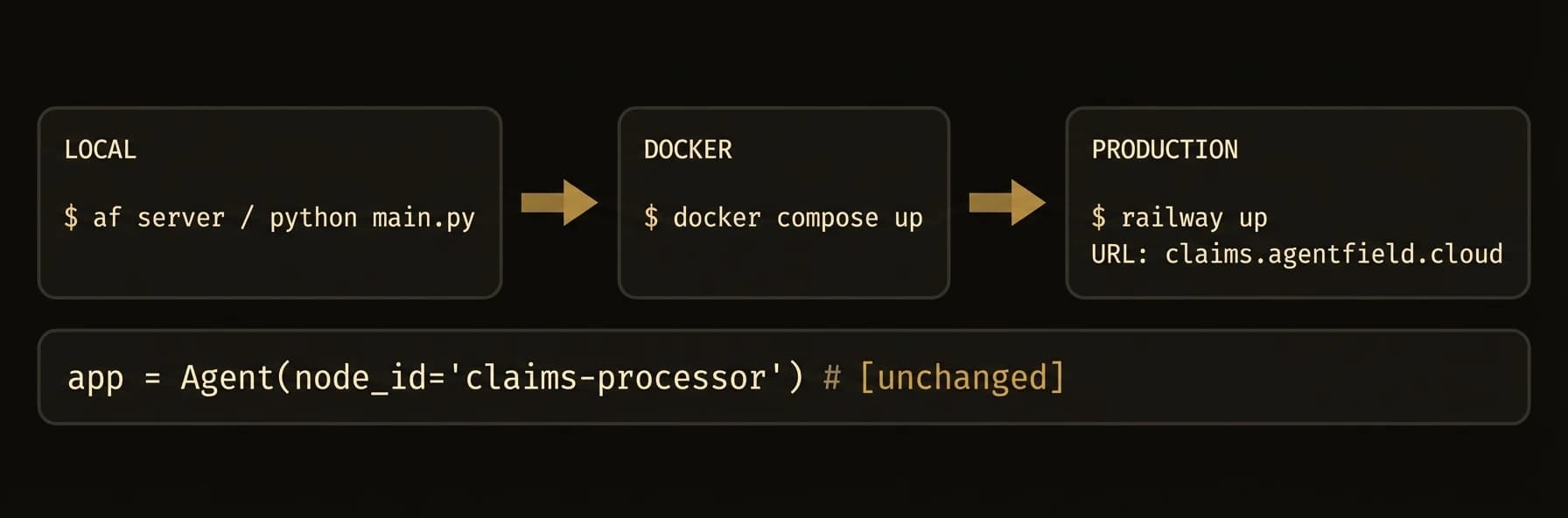
From local development to production Kubernetes -- one binary, zero vendor lock-in.
AgentField runs as a stateless control plane that agent nodes connect to over HTTP. The same agent code runs on your laptop, in Docker, in Kubernetes, or in a customer's private environment.
The key deployment story is not just where it runs. It is that teams can deploy agents independently while the control plane keeps routing, discovery, and workflow tracking consistent.
The Deployment Coordination Problem
Support needs to ship a bug fix. Analytics is running a long job. Another team is testing a new agent in staging. In a monolith, everyone waits. In a raw microservice stack, everyone coordinates service discovery, routing, and rollout plumbing.
AgentField removes most of that coordination burden:
- Stateless control plane -- scale the routing/orchestration layer independently
- Independent agent scaling -- each agent family deploys and scales on its own schedule
- Agents anywhere -- cloud, Docker, Kubernetes, on-prem, or private networks
- Same code everywhere -- your agent code does not change across environments
Local To Production
af server
# local dev, SQLite, zero extra infrastructure

export AGENTFIELD_POSTGRES_URL="postgres://user:pass@db.company.com/agentfield"
af server
# same binary, production storage backend
What changes is the storage backend and where agents run. What does not change is the control-plane model, your agent code, or the API contract.
What just happened
The same af server process was shown in both local and production modes, with only the storage backend changing. That is the deployment promise this page needs to make explicit: the control-plane shape stays stable while environments and agent placements change around it.
{
  "control_plane_binary": "same",
  "local_storage": "sqlite",
  "production_storage": "postgres",
  "agent_code": "unchanged"
}
Storage Modes
| Mode | Backend | Best For |
|---|---|---|
local | SQLite | Development, single-node deployments |
postgres | PostgreSQL | Production, multi-replica deployments |
SQLite is the default. No database setup required.
Local Development
af server          # Control plane on http://localhost:8080 with SQLite
python app.py      # Or run your TypeScript / Go agent in a second terminal
No Docker, no database, no configuration files required.
Deployment Model
| Capability | What stays the same |
|---|---|
| Laptop | Same control plane, same agent APIs, fastest iteration |
| Docker | Same binary, same routes, isolated team environments |
| Kubernetes | Same control plane model, now with replicas, probes, and managed rollout |
| On-prem / hybrid | Same agent code, different network placement and storage configuration |
Site API (agentfield.ai)
The public read-only API on agentfield.ai for searching and reading AgentField documentation, plus its error model, versioning and deprecation policy, and rate limits.
Serverless Deployment
Deploy agents as serverless functions with handle_serverless(), Lambda adapters, and scale-to-zero.