Multimodal
Vision, audio, and media generation — images, speech, and video through a unified interface
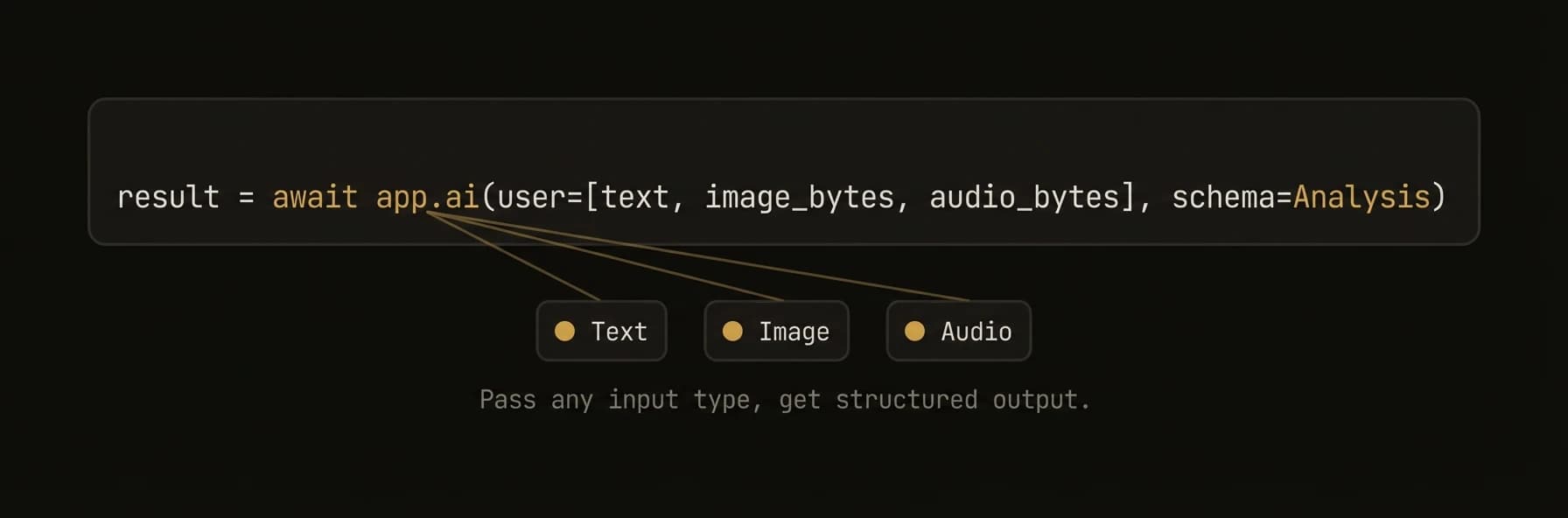
Send images and audio to LLMs. Generate images, speech, video, and music. The Python SDK provides first-class multimodal support through app.ai() with automatic input type detection — just pass an image URL or file path and the SDK handles the rest. All three SDKs support media generation through a pluggable MediaProvider system with built-in OpenRouter, fal.ai, and DALL-E backends.
from agentfield import Agent, AIConfig
from agentfield.multimodal import image_from_url, image_from_file, audio_from_file, text

app = Agent(node_id="visual-analyst", ai_config=AIConfig(model="openai/gpt-4o"))

# Vision — auto-detects image URLs, no special config needed
response = await app.ai(
    "Describe what you see in this image:",
    "https://example.com/photo.jpg",
)

# Multiple images in one call — compare, diff, or analyze sets
response = await app.ai(
    text("Compare these two charts and identify the key differences:"),
    image_from_url("https://example.com/chart_q1.webp"),
    image_from_url("https://example.com/chart_q2.webp"),
)

# Local files — auto base64 encoding, MIME detection
response = await app.ai(
    text("What architectural style is this building?"),
    image_from_file("./photos/building.jpg", detail="high"),
)

# Audio transcription — send audio to speech-capable models
response = await app.ai(
    text("Transcribe this recording and summarize the key points:"),
    audio_from_file("./recordings/meeting.wav"),
)

# Image generation — DALL-E, Flux, Stable Diffusion
result = await app.ai_generate_image(
    "A futuristic cityscape at sunset, cyberpunk style",
    model="dall-e-3",
    size="1792x1024",
    quality="hd",
)
result.images[0].save("cityscape.webp")

# Video generation — text-to-video and image-to-video via fal.ai
result = await app.ai_generate_video(
    "Camera slowly pans across a mountain landscape at golden hour",
    model="fal-ai/minimax-video/image-to-video",
    image_url="https://example.com/mountain.jpg",
)
result.files[0].save("landscape.mp4")

# Speech generation — TTS with voice selection
result = await app.ai_generate_audio(
    "Welcome to AgentField, the open-source control plane for AI agents.",
    model="tts-1-hd",
    voice="alloy",
)
result.audio.save("welcome.wav")
import { Agent } from '@agentfield/sdk';
import { openai } from '@ai-sdk/openai';
import { generateText } from 'ai';
const agent = new Agent({
nodeId: 'visual-analyst',
aiConfig: { provider: 'openai', model: 'gpt-4o' },
});
agent.reasoner('analyzeVisuals', async (ctx) => {
// Vision — use the Vercel AI SDK directly for multimodal messages.
// ctx.ai() accepts a prompt string and AIRequestOptions (system, schema,
// model, temperature, maxTokens, provider, mode) but does not accept
// a messages field. For image/audio content parts, call generateText()
// from the Vercel AI SDK instead.
const { text: description } = await generateText({
model: openai('gpt-4o'),
messages: [
{
role: 'user',
content: [
{ type: 'text', text: 'Compare these two product photos:' },
{ type: 'image', image: new URL(ctx.input.image1) },
{ type: 'image', image: new URL(ctx.input.image2) },
],
},
],
});
// Audio input — same pattern, pass audio content parts directly
const { text: transcript } = await generateText({
model: openai('gpt-4o-audio-preview'),
messages: [
{
role: 'user',
content: [
{ type: 'text', text: 'Transcribe and summarize this recording:' },
{ type: 'file', data: audioBuffer, mimeType: 'audio/wav' },
],
},
],
});
return { description, transcript };
});// Vision — image from URL
resp, _ := client.Complete(ctx, "Describe what you see.",
ai.WithImageURL("https://example.com/photo.jpg"),
)
// Vision — local file with auto base64 + MIME detection
resp, _ = client.Complete(ctx, "Analyze this architecture diagram.",
ai.WithImageFile("/path/to/diagram.webp"),
)
// Multiple images — raw bytes
resp, _ = client.Complete(ctx, "Compare these two screenshots.",
ai.WithImageBytes(screenshot1, "image/png"),
ai.WithImageBytes(screenshot2, "image/png"),
)What just happened
The examples used one interface for three very different workloads: sending images, sending audio, and generating media outputs. That matters because multimodal support is only useful if teams do not need separate mental models for vision, transcription, and generation.
{
  "vision_input": "image_url_or_file",
  "audio_input": "audio_file",
  "generated_outputs": ["image", "video", "audio"]
}
Realtime multimodal
The examples above are request/response — one payload in, one response out. For live multi-turn audio (browser voice calls, operator copilots, intake calls), use a session. The browser holds a WebRTC connection, AgentField proxies the provider, and any tool calls the live model makes route back through the same execution model as a normal reasoner. See the realtime voice sessions quick guide.